

Narrow and LeadDelta both sit on top of LinkedIn. They are built for different jobs.
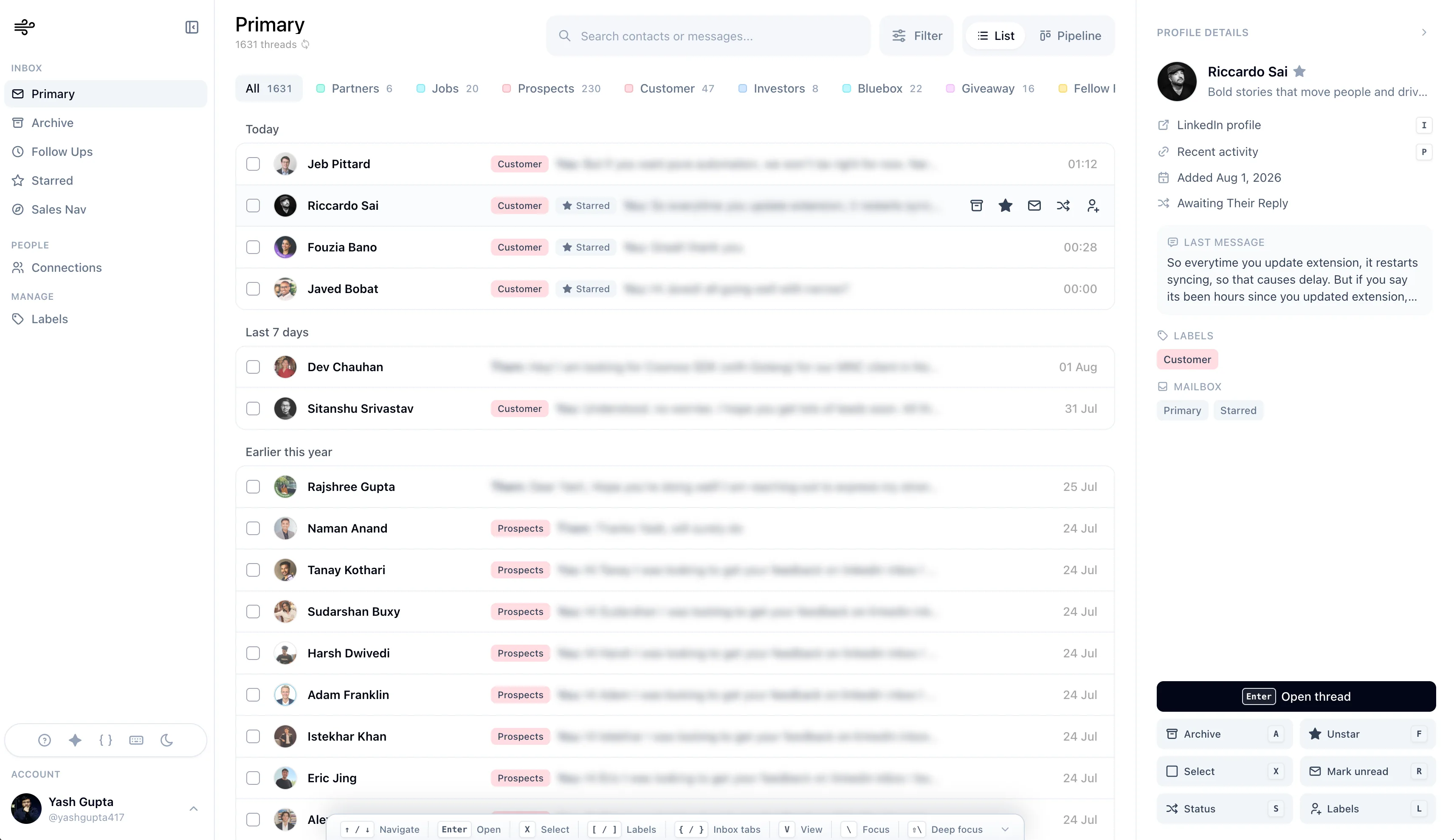
Narrow is a dedicated LinkedIn inbox and light CRM. You read and reply in one workspace, then keep labels, reminders, and pipeline stages on the conversation. LeadDelta's current pricing page calls itself an AI go-to-market platform: a LinkedIn CRM, an AI inbox, a people database, campaigns, and enrichment in one subscription.
Pick from the job. A shared team network and outbound campaigns are a different purchase from a daily inbox.
Reviewed November 16, 2026. We build Narrow. LeadDelta details are from LeadDelta pricing and the help-center feature list, updated September 23, 2026. Narrow plan limits are from our pricing page. Confirm anything you depend on during a trial.
The short answer
| Question | Narrow | LeadDelta |
|---|---|---|
| LinkedIn inbox, labels, reminders | Pro | Included in the Growth plan's LinkedIn CRM and AI inbox |
| Kanban on the same conversations | Pro | Help center lists Kanban pipelines |
| Sales Navigator messages | Super Pro inbox | Help center says the AI inbox covers LinkedIn and Sales Navigator messages |
| Shared team network | Not a Narrow feature | Pricing page includes shared networks on Growth |
| Campaigns and sequences | No. Narrow does not auto-send. | Pricing page includes unlimited LinkedIn and email campaigns |
| People database and email finder | Not a Narrow feature | Growth includes a 500M-person database and 500 enrichment credits |
| HubSpot sync | Not a listed integration. Max Pro is custom integrations. | Help center lists native HubSpot sync, plus Zapier, Pabbly, and an API |
| Attio sync | Not listed | Not named. The published connectors are HubSpot, Zapier, Pabbly, and API |
| MCP | Super Pro, for Claude, ChatGPT, Codex, and Claude Code. See Narrow MCP. | Pricing page lists MCP/API for Claude, ChatGPT, HubSpot, and Zapier |
LeadDelta's public price, checked the same day, is Growth at $69.30 per user per month when billed yearly ($831.60 per year). The page also lists a custom done-for-you service and an Enterprise plan. A 7-day trial does not require a card. Narrow's prices are on the pricing page. Do not assume a feature sits on the cheapest description of either product. The help center still refers to Team and Business plans for some features, while the pricing page shows one Growth plan. Use the live pricing page for what a seat includes today.
What each product is for
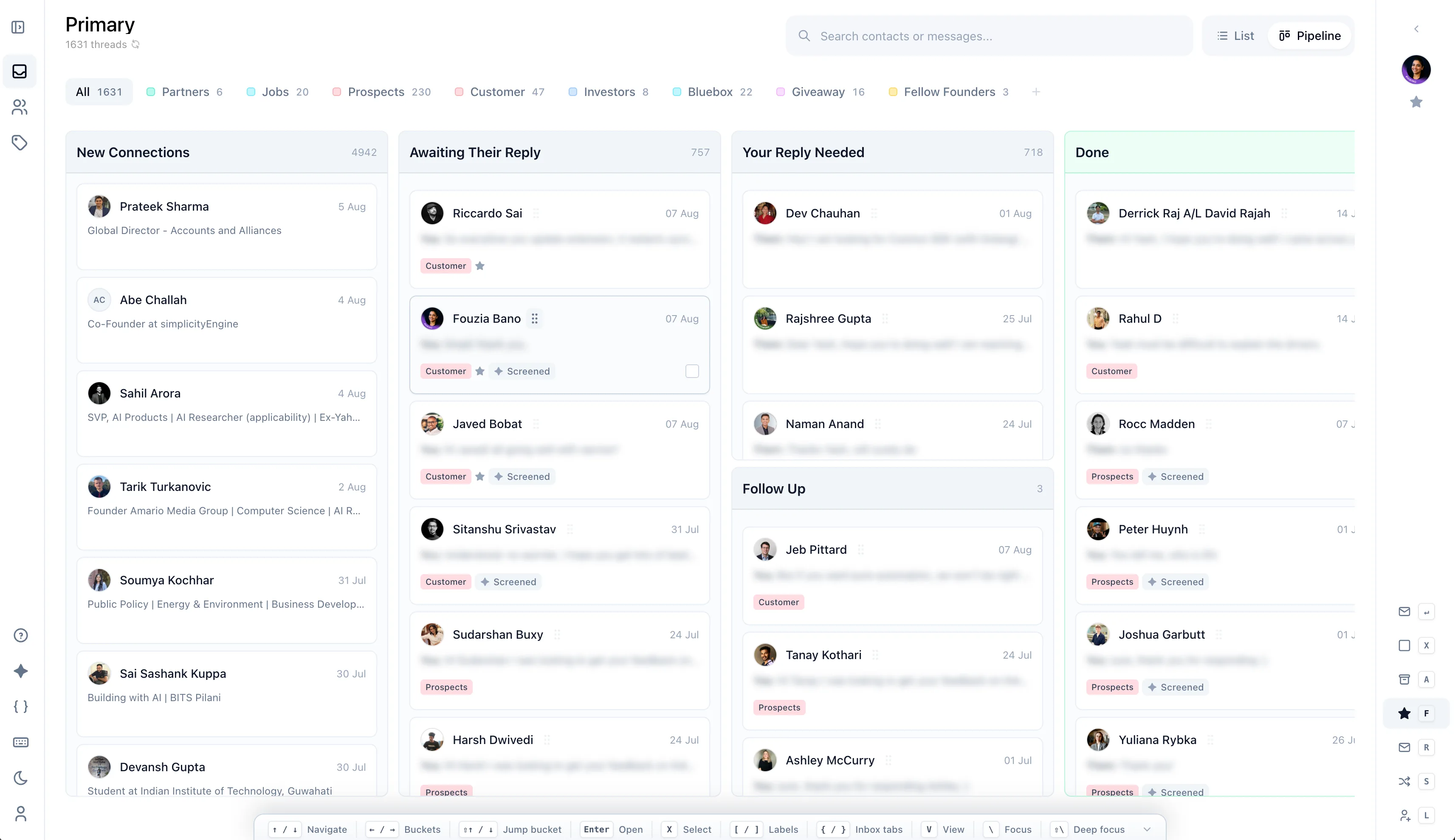
Narrow is the LinkedIn conversation workspace. A Chrome extension connects the account. Pro includes the LinkedIn inbox, labels, reminders, Kanban, snippets, search, and text messaging. Super Pro adds the Sales Navigator inbox, audio and video messages, AI message screening, and MCP. Max Pro is custom integrations. It is not a published HubSpot or Attio connector.
LeadDelta organizes the network and the outbound motion around it. The pricing page bundles tags, notes, tasks, a shared team network, an AI inbox, campaigns, enrichment, warm-intro suggestions, and buying-signal alerts. The help center adds filters, smart lists, a custom feed, and job-change alerts.
If the work is "who on my team knows this person, and what is their email," LeadDelta publishes that. Narrow does not.
Inbox and pipeline
Both products talk about the LinkedIn inbox. The shape is different.
Narrow's daily loop is the message list, the thread, and the stage of that conversation. A reminder sits on the thread. The Kanban view is the same set of conversations, not a second database.
LeadDelta's help center describes an AI inbox for LinkedIn and Sales Navigator messages, with AI labels, reminders, templates, and bulk actions, including a bulk send to as many as 100 connections. Campaign replies land in that inbox. That is a team inbox plus a campaign console. It is not the same as a single-operator client that refuses to send for you.
Sales Navigator messages are plan-gated on Narrow. Super Pro includes that inbox. Pro does not. LeadDelta's help center says its AI inbox includes Sales Navigator messages. Confirm that on the plan you would buy, because the help center and the pricing page do not use the same plan names.
Campaigns, data, and the CRM
This is the clearest split.
LeadDelta sells sequences. The pricing page includes unlimited LinkedIn and email campaigns. The help center says a campaign can include connection requests, messages, InMails, emails, post likes, and comments, and that campaigns run from the browser or in the cloud within LinkedIn's limits. The same page says LeadDelta never sends without your say-so. Test what that confirmation looks like. A product with campaigns is not a no-automation inbox, even if a human approves the send.
Narrow does not run sequences, bulk send, or auto-send. Every message is written and sent by you.
LeadDelta also sells data Narrow does not: a 500-million-person database, waterfall email and phone enrichment, and warm-intro suggestions across a shared network. The help center lists native HubSpot sync for connections and messages. Narrow does not publish a HubSpot sync. Max Pro is a custom-integrations plan, not that connector.
Neither product's current pages name an Attio integration. If Attio is the system of record, do not assume either tool fills it. Kondo is the product in this category that documents an Attio sync. See the Kondo alternatives note for Attio users.
Where each one fits
Choose LeadDelta if you want a shared LinkedIn network, campaigns, enrichment, and a path into HubSpot, and you have read the campaign terms. Budget for the Growth seat, and check whether warm intro and MCP sit on the plan you are shown.
Choose Narrow if the job is the LinkedIn thread: read, reply, label, remind, and move the stage. Add Super Pro only if you also need the Sales Navigator inbox, AI screening, or MCP. Stay with it if you do not want sequences or a contact database.
For the longer LeadDelta verdict, read the LeadDelta review. For other options, see LeadDelta alternatives.
LeadDelta sources, checked November 16, 2026: pricing and features. Narrow plan limits: pricing.